Updating Autobiography Procedure
STEP #1 Make changes to the Autobiography in Word and save it.
you know how to do this. You can ask Copilot for help.
STEP #2 from within Word choose, export the Word document to PDF
NOTE: For the next step, make sure your browser is full-screen to see the Export option down on the left menu.
File > Export > Create PDF/XPS Document > Click the square labeled Create PDF/XPS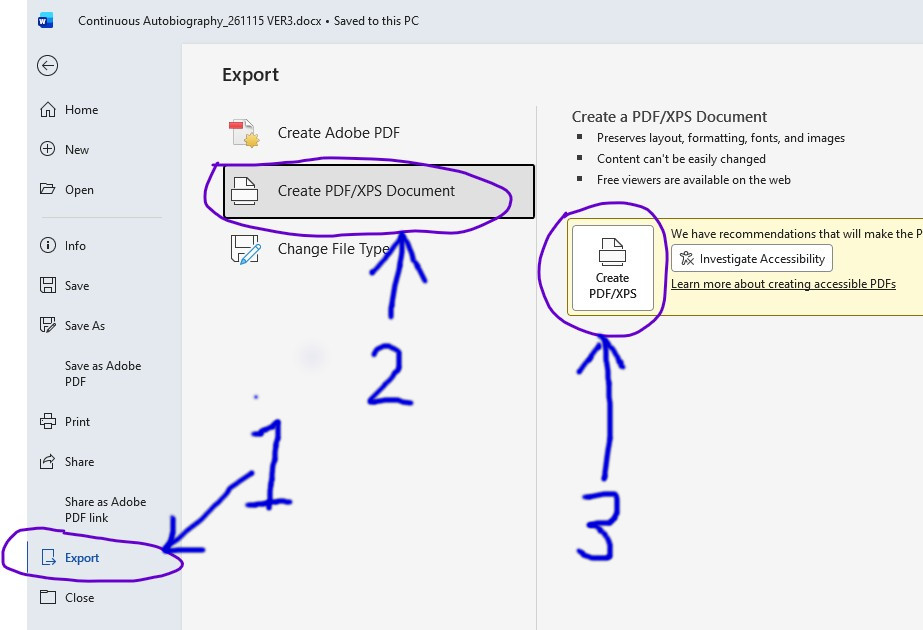
Navigate if necessary to the same folder you keep the Word document in.
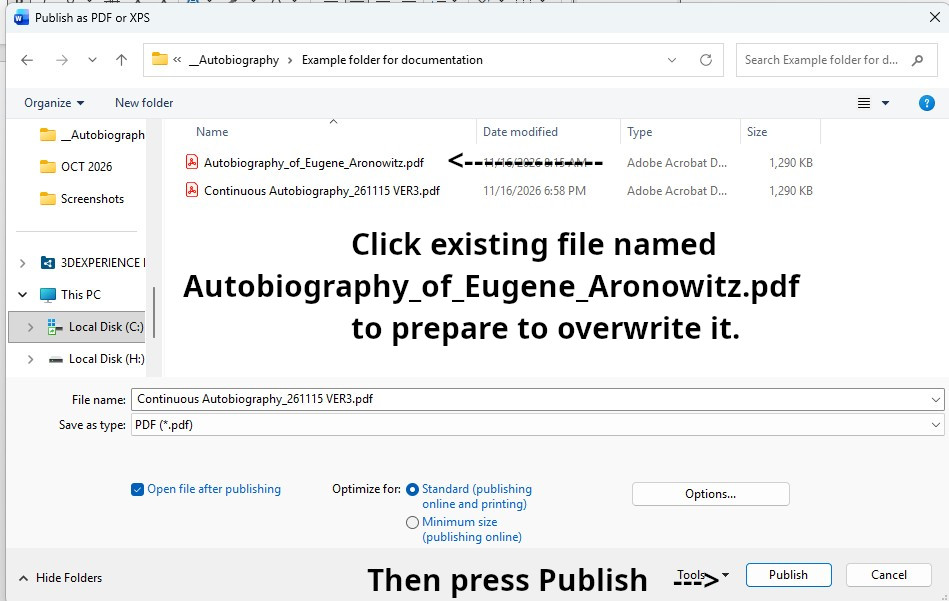
Click on the existing file name Autobiography_of_Eugene_Aronowitz.pdf to change the name of the file you are saving to Autobiography_of_Eugene_Aronowitz.pdf.
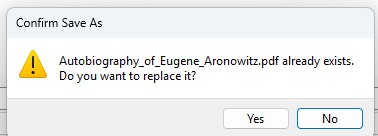 Click Yes to replace the file.
The new PDF now exists on your computer
STEP #3 Copy New PDF to Website
Log into the back end of your website. On the left menu, under Content, click on the Media Manager. It shows the available folders. Select PDFs.
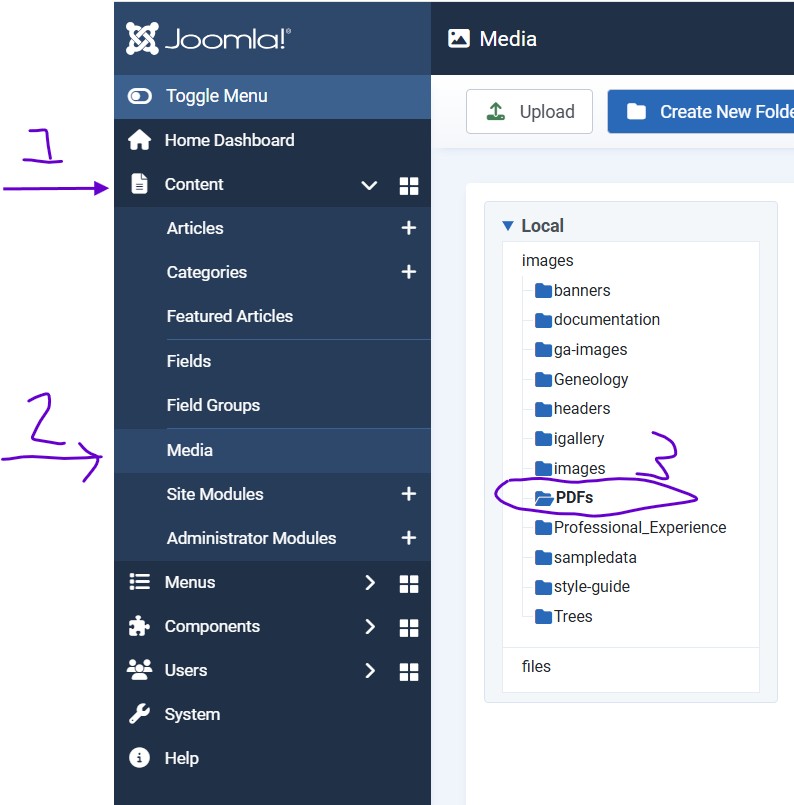
You will see the existing
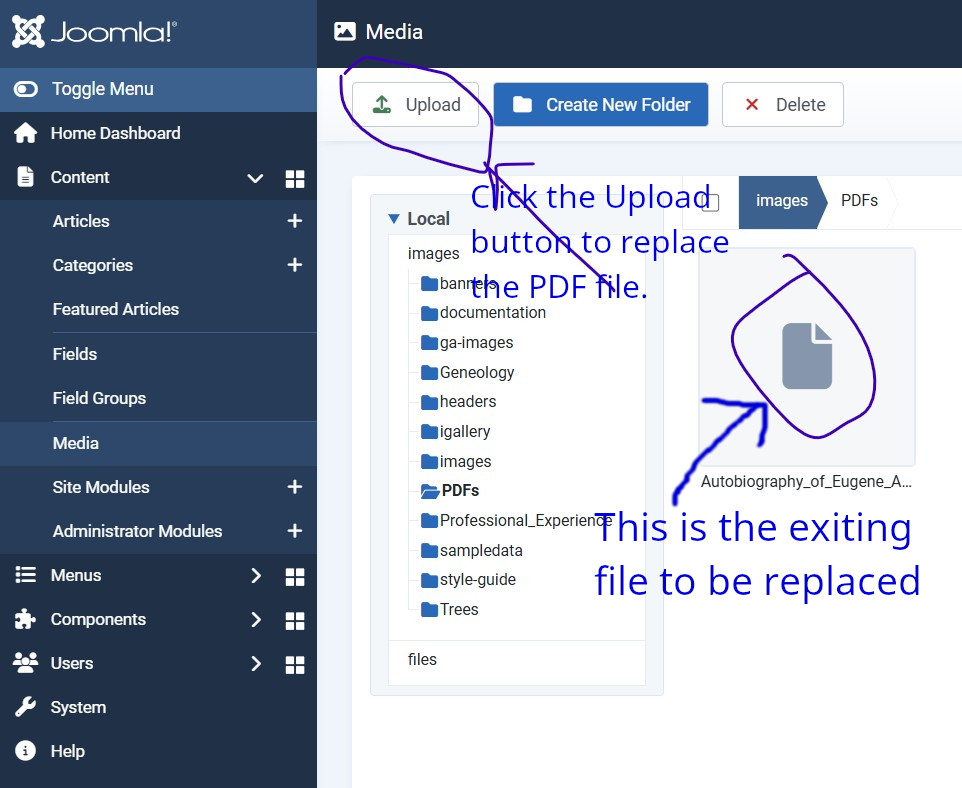
Click upload

Click OK.
Go to the front end of your website and check the Autobiography has been updated.